


Education Trends, Equity Resources, Productivity Strategies, Podcast Articles | Jun 1, 2025
My top ways to use AI for scaffolds, supports, and differentiated tasks

By Angela Watson
Founder and Writer
My top ways to use AI for scaffolds, supports, and differentiated tasks
By Angela Watson
Even though I’m sharing my favorite ways to use AI for scaffolds, supports, and differentiated tasks, what I’m really talking about is how to use AI as a thinking partner.
I want to show you what it actually looks like to use AI for differentiation—not the polished version, but the real workflow.
I view AI as a tool that you can collaborate with like a trusted colleague: the kind of interaction where you go back and forth, rephrase things, reject a few ideas, get feedback, and co-create something together that’s better than what either or you would have done separately.
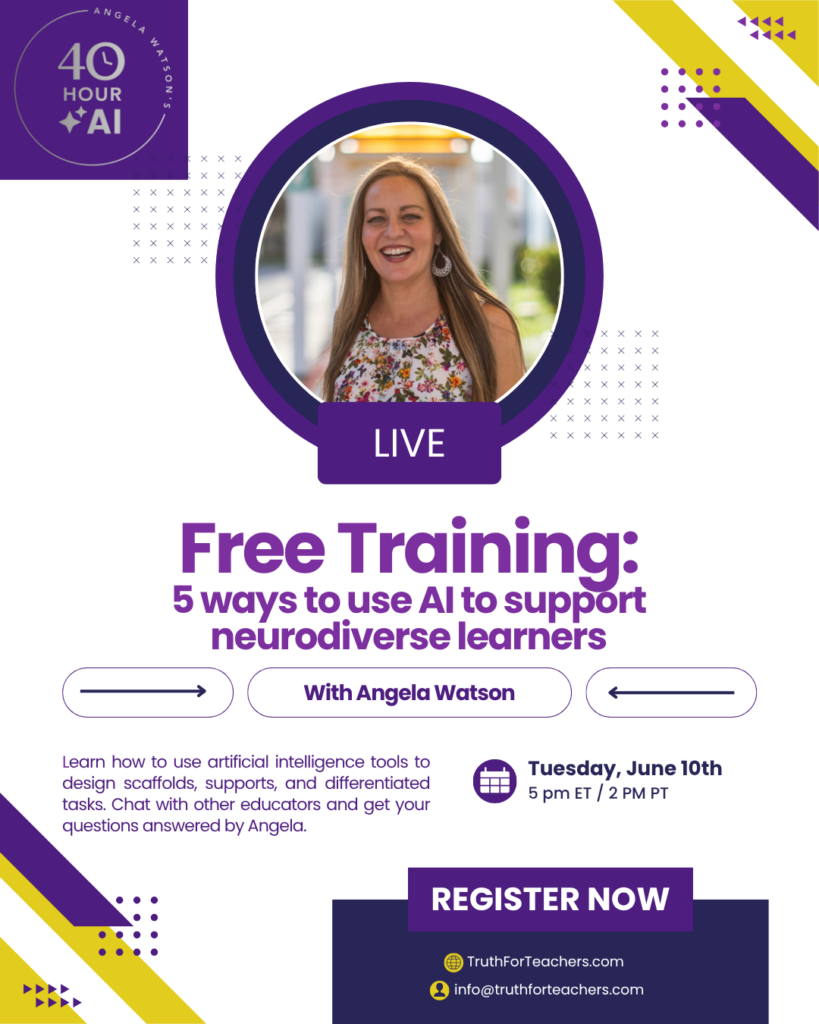
In fact, I’m providing a free training where I’ll show you my screen and walk you through this exact process. The event has now passed, but you can catch the replay! You’ll see how I recommend using AI tools to support neurodiverse learners, how to edit what the AI gives you, how to make lesson plans better and more inclusive of all learners with AI’s feedback, and how to integrate that process into your planning without adding more to your plate.
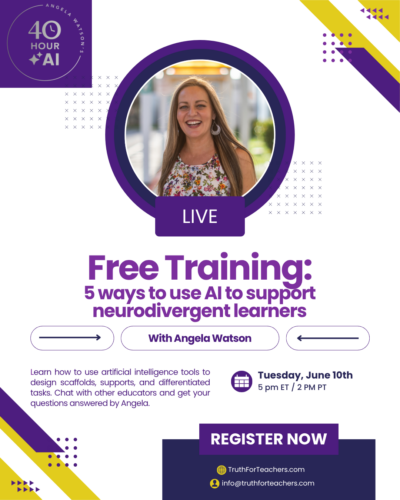
In this article + podcast episode, I want to walk you through some different ways to create scaffolds, supports, and differentiated tasks.
To accompany this and to help you get started, I’ve created a free prompt guide that includes ready-to-use examples for all the strategies I’ll be talking about in this episode. Sign up for that here:
Listen to episode 326 below,
or subscribe in your podcast app
1. Use AI as a thought partner to help you reflect on instructional choices.
Let’s start with a mindset shift—not about what AI is, but how you use it.
I don’t treat AI like a vending machine where I just drop in a prompt and expect a perfect resource to pop out.
It’s more like a colleague who’s available 24/7. I ask it to help me brainstorm, I refine what it gives me, and I often end up saying:
“Okay, that’s a good start… but can you simplify this?”
“Can you make that more visual?”
“This needs to work for a kid with ADHD who shuts down when directions are too long—can you help me rephrase?”
And just like when you talk to another teacher, sometimes it totally gets what you mean… and sometimes you have to explain it a different way.
I believe this is one of the most powerful, yet overlooked, ways to use AI: to bounce ideas off of it when you’re making decisions about instruction.
Sometimes I’ll ask:
“I want to include this activity in the unit, but I’m not sure where it fits best. Should I use it to introduce the concept, or would it work better as a review?”
Or:
“I’m debating between two ways of teaching this writing strategy. Which one might be more effective for students with ADHD?”
I might say:
“What am I missing when it comes to supporting ESL students in this lesson?”
Or:
“How else could I make this activity more accessible for students who struggle with working memory?”
I don’t expect AI to know students the way the teacher does. But I do find that it often surfaces options I hadn’t thought of yet. It helps me explore angles, weigh the trade-offs, and even catch some blind spots in my planning.
This isn’t about offloading your thinking. It’s about getting a second set of eyes—even if they’re artificial.
2. Use AI to adapt tasks so they’re accessible to all learners.
When I’m coaching a teacher who needs to support students who learn differently, we don’t want to water down the content. We want to adapt the path to the same destination.
So the teacher might tell the AI:
“I’m teaching a science unit on ecosystems to a mixed-ability class. Help me create multiple access points without changing the core ideas.”
From there, you might ask for:
- A leveled text for a student with dyslexia
- A visual vocabulary list for an ELL student
- A step-by-step organizer for a student with executive functioning needs
If you’re using ChatGPT for this, you may notice that it volunteers to give you the output in multiple formats—maybe a bulleted list, a visual version, and a set of task cards. I rarely take it up on this offer, though I do read the suggestions, because sometimes, it gives me ideas I hadn’t thought of—like adding an emotional check-in before a task, or creating a self-monitoring checklist to help kids track their focus as they complete the task.
But I’ve found that ChatGPT sometimes offers to do things it can’t actually do—like create a downloadable PDF which is usually horrible looking, in my experience, or transcribe audio from a file which I try a gazillion ways to upload or link to without success. You might ask for an image, and it gives you something unusable or off-topic. Even formatting a table can be a hit-or-miss task. So if I want something formatted nicely, I will do it myself in Canva most of the time, or I’ll use a tool designed for teachers to create with AI and format it for them.
This is where a tool like Diffit comes in handy. Diffit lets you paste in any text—like an article, story, or nonfiction passage—or just type in a topic. Then you choose the grade level, Lexile level, or English Learner setting, and Diffit generates a version of that content with built-in supports.
The output includes:
- A simplified version of the text
- Comprehension questions
- Vocabulary lists with student-friendly definitions
- A summary
- Visuals or image support (depending on the content)
You can print it, share it digitally, or export it to Google Docs. It’s designed to help you meet students where they are without having to rewrite everything manually.
So instead of having to create three versions of the same reading or activity, Diffit gives you a solid base to start from—and then you can adjust as needed.
It’s one of the most reliable tools I’ve found for leveling content and building in differentiation supports quickly and thoughtfully.
The key is that you’re still in control. Diffit gives you a starting point, and you can customize it to reflect your students’ needs and your instructional goals.
I also really like Insta-Lesson for this. It’s a brand new tool that I have a training video for in the 40 Hour AI membership site, if you’re enrolled there and want to see the developer show you how it works and answer questions about it. Insta-Lesson will find an appropriate short video online for your intended topic or learning standard, and create the lesson deliverables. So it’s not just planning the lesson but giving you the slideshow, student handouts, etc.
Insta-Lesson has a really clean, easy-to-use interface, and you don’t have to create an account or provide an email address to use it, so check it out and see what you think. I’ve been really impressed by the quality of the output compared to other AI tools for teachers, and it’s my top go-to right now for creating individualized, differentiated lesson materials.
Teach students how to use artificial intelligence responsibly
3. Use AI to give detailed, personalized feedback more quickly and more often.
We all want to give meaningful feedback, but let’s be real—it’s often the first thing to go when you’re busy.
Brisk Teaching is great for this because it integrates with Google Docs, and I’m overall very pleased with the quality of the feedback it generates for students. You tell it what you want assessed (such as voice, sentence construction, vocabulary, etc) and it generates feedback as a Google Doc comment. You can then edit and personalize the feedback, hit enter, and the comment shows up on the doc for students.
As this kind of AI-generated feedback for students has become popular, there has been some student resistance, especially in higher ed where students sometimes feel like they’re paying a lot of tuition to get impersonal or inaccurate feedback that a human professor couldn’t be bothered to write. And honestly? Those concerns are valid—if the AI feedback is being copied and pasted without context or revision.
I still defend the practice of AI-generated feedback because the purpose of feedback is to help students improve. In many classrooms—especially when it comes to essay writing—timely, detailed feedback just isn’t possible for teachers to do without spending all their nights and weekends pouring over student essays.
I think it’s important for students and families to understand that the teacher might assign students to write one paper in a given week, but the teacher might have 150 or more to grade. 150 x 5 minutes each is 12.5 hours, just for this one assignment.
So, in order to give thoughtful, detailed feedback that is individual to the student for the purpose of helping the student reflect on and improve their writing skills, AI simply makes sense. It gives us a way to provide feedback during the process of writing, not just after the assignment is turned in, so students can revise and reflect.
If students or families push back, try to bring them into the process. Explain that AI is being used to support—not replace—your role as the teacher. Say something like, “I use this tool to help me respond faster, but I always review the feedback so there’s my human oversight and teaching expertise involved.” That kind of transparency can help build trust.
You can also encourage students to analyze the feedback you give them using AI assistance. Tell them, “If you feel like my feedback isn’t helpful or doesn’t reflect your work, let’s have a dialogue. Tell me: What didn’t feel accurate? What kind of feedback is most helpful to you?”
This encourages students to think critically about the feedback they receive and really analyze whether it’s useful and relevant, which will help them grow as writers. And, it shows that you value their opinions and feelings and needs, and aren’t just defending the tool.
Another option I’ve been exploring is having students get feedback directly from AI themselves, rather than the teacher acting as the middleman. For example, after drafting a paragraph, have students paste it into an AI tool designed for student use and ask: “How could I improve this?” or “What’s one thing I could add to make my point clearer?”
This teaches them how to reflect and revise in real time—and how to evaluate feedback critically. They learn to ask better questions, sift through the AI’s suggestions, and decide what’s actually useful. And, they see firsthand that the AI isn’t always right, and they can push back if the feedback doesn’t make sense. But once they get the hang of it, it becomes a powerful way to build independence so students aren’t waiting for you as the teacher to offer support.
4. Use AI to scaffold multi-step tasks and directions.
Executive functioning challenges are real. Many students struggle with following multi-step directions, organizing their thoughts, or even getting started. And often as educators, we have an end product in mind, but can struggle to make our directions make sense to students.
So, you can go to ChatGPT or whatever your preferred AI chatbot is, and type,
- “Can you rewrite this for a 9-year-old who struggles with working memory?”
- “Turn this research project into a visual checklist with simple, student-friendly steps.”
- “I feel like these instructions are too difficult. Simplify them.”
- “Put this in kid-friendly language.”
But don’t stop there. Use the output to help you reflect on the pedagogy alongside the AI.
Consider: Will your students understand what to do or get stuck at a specific point? Is the language too vague, causing students to ask a lot of clarifying questions? Does a specific vocabulary term need to be defined for them first? Should there be a separate lesson on the vocabulary before hand? Could this be chunked differently?
If you know immediately what you want changed, ask the AI to make changes:
- “Can you make step 1 more concrete?”
- “Add visuals for each step.”
- “Rewrite this using words a second grader would know.”
And if you don’t know what kind of adjustments to make, ask for suggestions. Again, talk to it like a human. You can even use the microphone function and literally talk to it instead of typing everything out if you want, though I usually type because it doesn’t require me to fix typos, grammar, or anything to get the gist of what I want. Sometimes my ChatGPT input is so sloppy I can’t make much sense of it, but the AI always seems to catch where I’m going with the concept.
So you can say or type the thing that’s bugging you about the AI’s output. For example: “I don’t know if my students are going to relate to that example about a farm because we live in a city” and see what the bot suggests. It might give a different example, or provide background info on farm life for students to understand.
You could also say things like, “I’m not sure if this lesson should be taught before XYZ lesson or after, which order makes the most sense if I’m scaffolding their learning?” and see what the bot replies.
What you’ll find is that it doesn’t just give you the answer: “Teach this thing first, then this.” It will reason things out with you, probably saying, “Great question. Here are the pros to doing it this way and the cons. Here are the pros and cons to doing it the other way. My recommendation is this, but you could also do this, or make a compromise and do this.”
Do you see what I mean about AI as a thought partner? It’s more than just saying “Break this project down into individual steps for me” even though that’s a valuable task, too. This is really thinking critically: what do students need in order to be successful at this task? If some kids can handle larger chunks of info at a time, how could we provide that to them, and scaffold with smaller chunks of info for the others? Can we translate the directions into Spanish to make sure kids whose first language is not English are clear on what’s happening?
Another thing I like to do when using AI to scaffold is to consider places in the lesson where students might get stuck and could use AI to help. If your students represent many different home languages and cultures, you don’t necessarily need to translate everything and provide those translations. Is there a way for students to ask a chatbot to translate for them?
One thing some teachers are doing that works well is displaying some sentence frames students can use to help them get started, like:
“I’m working on ___ and I need help with ___.”
And that, of course, leads us to the final way to use AI to scaffold and differentiate: chatbot tutors.
5. Use AI chatbots as scaffolds and individual tutors for independent work.
Tools like MagicStudent allow learners to get help from an AI that’s trained to guide, not give answers. It’s a new technology, and far from perfect, but there’s some really promising things happening already.
Imagine this: your students are working independently on a reading response. One student is staring at a blank screen, unsure how to begin. Another is halfway through and stuck on how to explain their answer. Another can’t understand a specific word.
Instead of raising their hand and waiting for you—or just giving up—they type into a custom MagicStudent chatbot:
“I’m writing about what the character learned in the story, but I don’t know how to start.”
The chatbot responds with:
“Would you like a sentence starter? Try this: ‘At first, the character felt ____, but then ____.’”
Or:
“Think about what happened at the beginning, middle, and end. How did the character change?”
What makes this so effective is that you can train the chatbot ahead of time using MagicSchool’s Chatbot Builder. Here’s how it works:
- You describe what the assignment is about (for example, “Help students complete a character analysis of the main character in the story”).
- You paste in your directions, the learning objectives, and even your rubric or success criteria.
- You add specific guiding questions you want the chatbot to ask, like:
- “What is your character like at the beginning of the story?”
- “How do you know the character changed?”
- “Can you add evidence from the text?”
- You can even include sentence starters or prompts it should offer, like:
- “One thing the character learned was…”
- “This shows the character changed because…”
Once it’s set up, students can interact with a chatbot that’s specifically built for your lesson—not a generic AI assistant. It knows what the task is, what success looks like, and how to gently guide students through the thinking process. This kind of support is ideal when you’re circulating or working with small groups and want students to work independently.
Of course, once students finish working with the chatbot, you’ll still want to check in. One great feature in MagicStudent is that you can actually see what students asked the chatbot and how it responded, all from your teacher dashboard. This makes it easier to monitor how they’re using the tool and whether the support is working. MagicStudent also has guardrails to prevent off-topic or inappropriate conversations, and is FERPA and COPPA compliant.
You can also use the MagicStudent output as formative data. Did the student answer the question more clearly than usual? Did they use evidence from the text that the chatbot prompted them to include? These moments help you gauge not just content mastery, but how effectively students are using the scaffolds you’ve built into the tool.
It’s also a good idea to model a chatbot interaction whole-class before releasing it to independent work time. That way, students know how to get meaningful help—not just try to get the chatbot to do the work for them.
And, you can have students jot down a quick reflection afterward: “What part did you need help with? What strategy did the chatbot suggest?” This helps them process the support they received and gives you insight into where they’re still struggling.
Want to see this in action?
So, those are my top five ways to use AI to support differentiation and scaffold learning. Let’s do a quick recap:
- Use AI as a thought partner to help you reflect on instructional decisions, brainstorm ideas, and refine your approach.
- Adapt tasks to make them accessible to all learners without watering down the content—especially using tools like Diffit and InstaLesson.
- Provide more timely, personalized feedback with tools like Brisk, and even teach students how to get and evaluate feedback from AI themselves.
- Break down complex assignments and clarify directions using AI to scaffold executive functioning challenges and promote student independence.
- Create chatbot tutors to support students during independent work, using tools like MagicStudent that are customized to your lesson and responsive to student needs.
If you want to see how these strategies work in action, come to the replay of the free live training. I’ll screenshare and show you exactly how to prompt AI effectively, edit what it gives you, and build these tools into your planning routine in sustainable, low-overhead ways.
And if you’re ready to go deeper with this work, I’d love to support you in your school or district. I offer custom AI training and coaching for educators, both virtually and in person. If your team is interested in building real-world AI workflows, I’d be honored to partner with you. You can reach me at [email protected].
Don’t forget to download the free prompt guide that goes with this episode—it includes practical examples to help you get started right away.

The Truth for Teachers Podcast
Our bi-weekly podcast has received over 1,200 five star ratings + 9 million downloads. You can support our work by subscribing in your favorite podcast app for free!
Explore all podcast episodes


Angela Watson
Founder and Writer
Sign up to get new Truth for Teachers articles in your inbox
OR

Join our
community
of educators
Share ideas or get advice via our social channels.


